
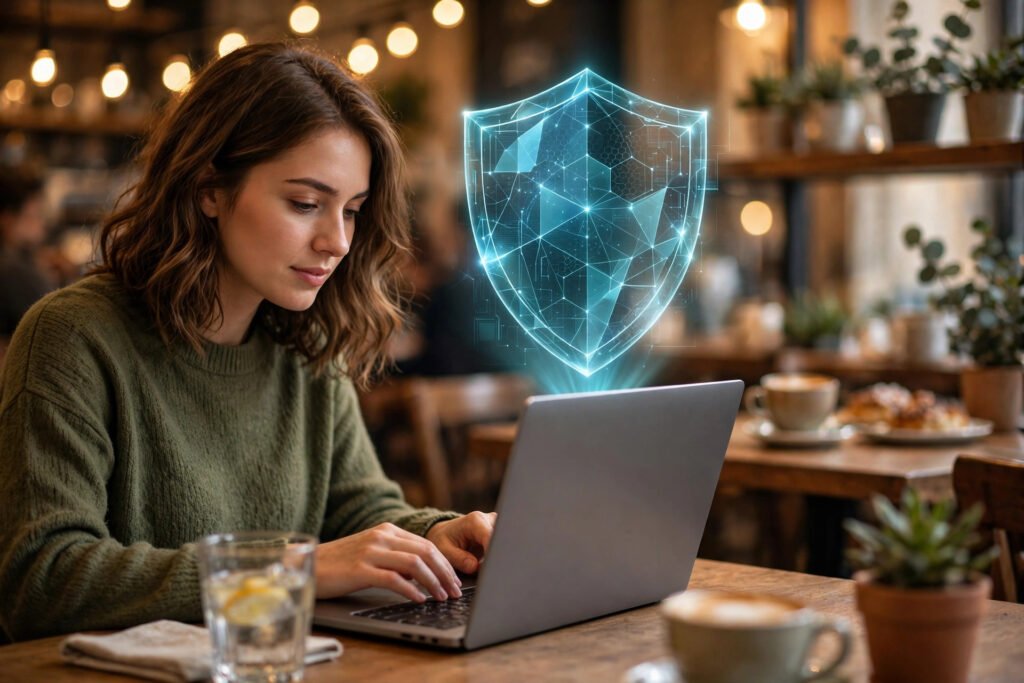
You are sitting in a cafe, connected to the free Wi-Fi, checking your bank balance. Across the room, someone could be watching the network traffic and seeing everything you send. Scary? This is exactly the problem a VPN solves. Short for Virtual Private Network, a VPN is one of the simplest tools a beginner can use to take back some privacy online.
📅 Want a study plan for this topic?
Get a free 7-day learning plan in your calendar — one small lesson every day.
What a VPN Actually Does
Think of the internet as a road where your data travels in glass trucks — anyone along the route can peek inside. When you connect without a VPN, your internet provider, the cafe’s network owner, and even snoops on public Wi-Fi can see which websites you visit.
A VPN changes this in two ways. First, it encrypts your traffic — scrambling it into unreadable code before it leaves your device. Your glass truck becomes an armored van. Second, it reroutes your traffic through a private server run by the VPN company, so websites see the server’s location instead of yours. It is like mailing your letters from a different city’s post office.
The key idea: your internet provider can now only see that you are connected to a VPN — not which websites you visit or what you do there.
What a VPN Protects You From (and What It Does Not)
A VPN is powerful, but it is not magic invisibility. Here is an honest breakdown:
A VPN protects you from:
- Snoops on public Wi-Fi reading your unencrypted traffic
- Your internet provider logging every site you visit
- Websites and advertisers seeing your real location and IP address
- Targeted price discrimination based on your location
A VPN does NOT protect you from:
- Viruses and malware — you still need antivirus and updates
- Phishing scams — a fake login page is fake whether or not you use a VPN
- Yourself — if you log into an account, that service knows it is you
- The VPN company itself — it can see your traffic, which is why choosing a trustworthy provider matters
Rule of thumb: a VPN protects your connection, not your behavior.
When Should a Beginner Use a VPN?
You do not need a VPN running 24/7, but these are the moments it really helps:
- On public Wi-Fi — cafes, airports, hotels, and universities are the classic danger zone.
- When traveling — access your home country’s services and avoid unfamiliar network snooping.
- On shared networks — dorms, offices, and shared apartments where you cannot trust every device.
- For sensitive tasks — online banking or anything involving personal documents on a network you do not control.
If you mostly browse at home on your own secure Wi-Fi, a VPN is less critical — but it still stops your provider from building a profile of your browsing.
How to Choose a VPN (Without Getting Scammed)
The VPN market is full of bold claims. Here is a beginner-friendly checklist:
- Paid beats “free.” Running servers costs money. Free VPNs often pay the bills by logging and selling your data — the exact opposite of what you want. Budget-friendly paid options start at a few dollars a month.
- Look for a no-logs policy. A trustworthy provider promises not to record your activity. The best ones have had this claim verified by independent audits.
- Check for a kill switch. This feature blocks all internet traffic if the VPN connection drops, so your real IP never leaks by accident.
- Open-source apps are a plus. Transparency lets experts verify the software does what it claims.
- Ignore “military-grade” marketing. Every serious VPN uses the same standard encryption (AES-256). Focus on the company’s reputation, not the buzzwords.
Setting One Up: It Takes Five Minutes
Getting started is genuinely simple:
- Pick a reputable provider using the checklist above.
- Sign up and install the app on your phone and laptop — good providers support both.
- Open the app and connect to a nearby server for the best speed.
- Verify it works by searching “what is my IP” before and after connecting — the location should change.
- Turn it on automatically on untrusted networks; most apps have an auto-connect setting.
Let’s See What a Website Knows About You Right Now
The guide above explains that a VPN hides your real location and your internet provider from the websites you visit. That sounds abstract until you see what a website actually learns about you. So I ran a real check on the computer I wrote this article on — one simple lookup, the same kind any website can do the moment you connect — and here is exactly what came back:
IP address:  87.81.243.120
City:        Miami
Region:      Florida
Country:     United States
Internet provider: Fastly, Inc.
Timezone:    America/New_York
That is a lot of information from a single connection, and I typed nothing, filled in no form, and clicked no "allow location" button. Any website you visit sees the same kind of record about you: your IP address, your city and country, your internet provider, and your timezone. A VPN swaps every line of that record for its own. Connect to a server in London and the website sees a London IP, a UK provider, and a London timezone — your real city and provider never appear. That is the whole trick, and the lookup above is the proof that there is something real to hide.
Now the question everyone asks next: does a VPN slow you down? Yes — a little, and you can measure it. Encrypting and re-routing your traffic costs roughly 10% of your speed. In the Wi-Fi article on this site I measured a real home download at 31.96 Mbps. Knock 10% off for VPN overhead and you get about 28.8 Mbps. Here is what that costs you on a 1 GB file:
Without VPN:  31.96 Mbps  ->  1 GB file in 250 seconds (about 4 minutes)
With VPN:     28.8 Mbps   ->  1 GB file in 278 seconds (about 4 minutes 38 seconds)
Cost of privacy: 28 seconds on a 1 GB download
28 seconds on a whole gigabyte. That is the real price of a VPN in everyday use — noticeable if you are timing it, invisible if you are not. And that is why my honest opinion is simple: on your home Wi-Fi, a VPN is optional; on a café, airport, or hotel network, those 28 seconds are the cheapest insurance you will ever buy, because on public Wi-Fi the person at the next table can see the unencrypted parts of your traffic — and the lookup above shows just how much of your identity travels with it.
Try it yourself: search "what is my IP" and look at the city, provider, and timezone it shows. Then turn on your VPN, pick a server in another country, and search again. Every line changes. That one experiment tells you more about what a VPN does than any sales page ever will.
Conclusion: A Simple Habit for a Safer Internet
A VPN will not make you anonymous, and it will not replace strong passwords or careful clicking. But for a beginner, it is one of the easiest wins in personal cybersecurity: install an app, tap connect, and your browsing on risky networks goes from an open book to a sealed envelope. Next time you join a public Wi-Fi, make the VPN your first tap — your future self will thank you.
Keep learning
📅 Want a study plan for this topic?
Get a free 7-day learning plan in your calendar — one small lesson every day.
[…] Clear your cookies once a month too: it logs you out of most sites but wipes the trackers clean. A VPN helps in a different way: it hides your location, while cookie settings hide your trail. Use both […]
[…] your internet provider. That is normal — it is how the reply finds you — but it is also why a VPN exists: it masks your real address behind the VPN server’s address. And when you type a […]