

When I first started coding, I stored everything in one big list. Names, marks, phone numbers — all dumped into the same list, in whatever order I typed them. It worked, until it didn’t. One day I needed to find one student’s marks out of 500, and my program crawled through every single item, one by one. A senior looked at my code, laughed, and said, “You don’t have a coding problem. You have a storage problem.” That day I learned what a data structure is — and honestly, it changed how I write every program since. Let’s understand data structures step by step, with a real example.
📅 Want a study plan for this topic?
Get a free 7-day learning plan in your calendar — one small lesson every day.
What Is a Data Structure?
A data structure is a smart way of organising data so your code can find it, add to it, and change it fast. Think of it like your room: if your books are piled on the floor, finding one takes forever; if they are on shelves, sorted by subject, you grab the right one in seconds. The data is the same — only the arrangement changes. A stack, a queue, and a dictionary are just different shelves for different jobs.
The Main Idea
Most beginners get stuck right here: they learn one structure — usually the list — and use it for everything. But here is the honest truth — a list is a fine all-rounder, and a terrible specialist. Searching an unsorted list of 10,000 names means checking, on average, 5,000 of them. The right structure can cut that to a handful of checks. In my opinion, choosing the structure is half of programming; the code itself is the easy part.
In Simple Words
Here is the whole idea, in four steps:
- Store your data in a shape that matches how you will use it.
- Add and remove items the way the structure allows — last-in-first-out, first-in-first-out, or by key.
- Find what you need fast, without scanning everything.
- Pick the right one — the wrong shelf makes even simple jobs slow and messy.
Let's Solve an Example: The Undo Button
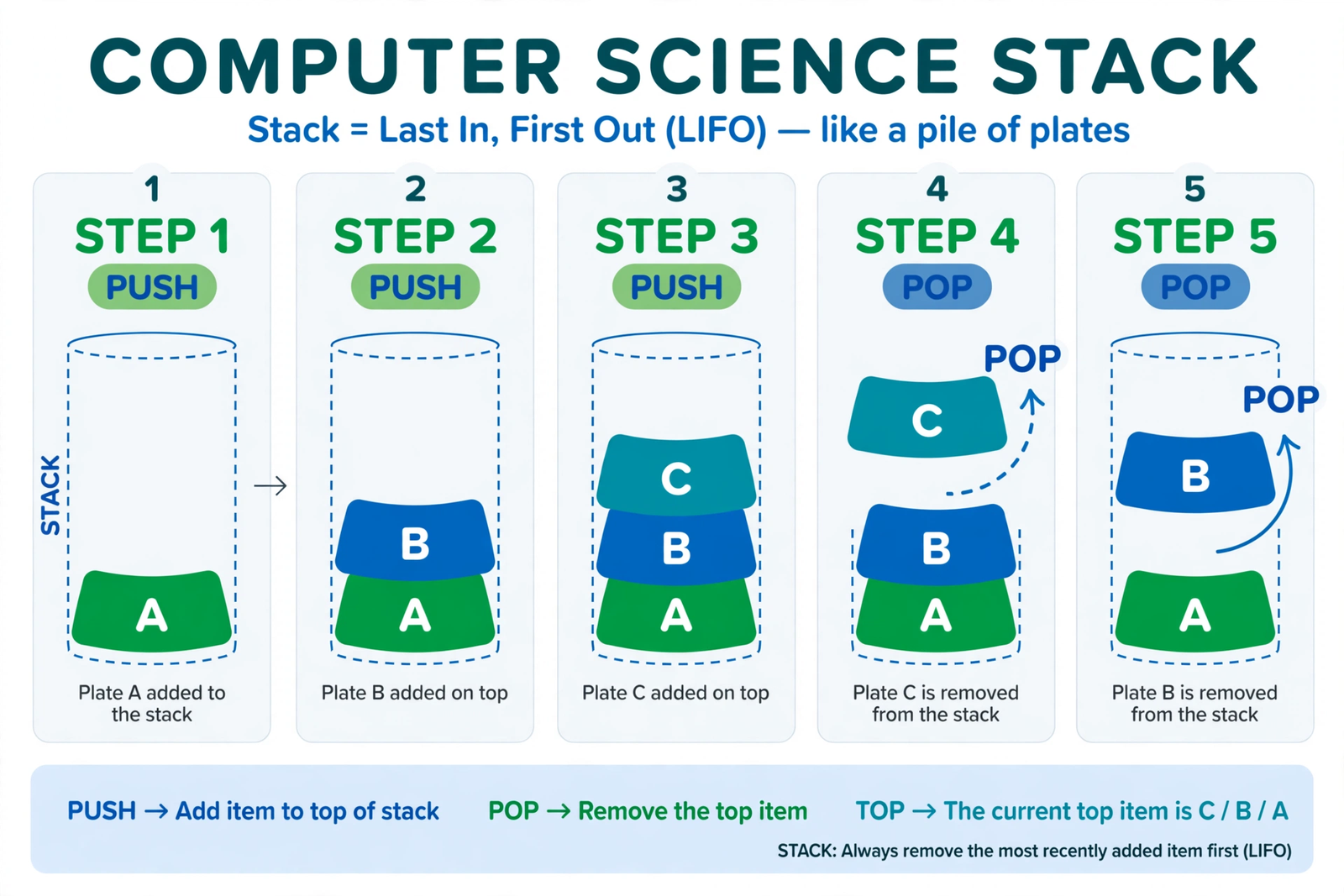
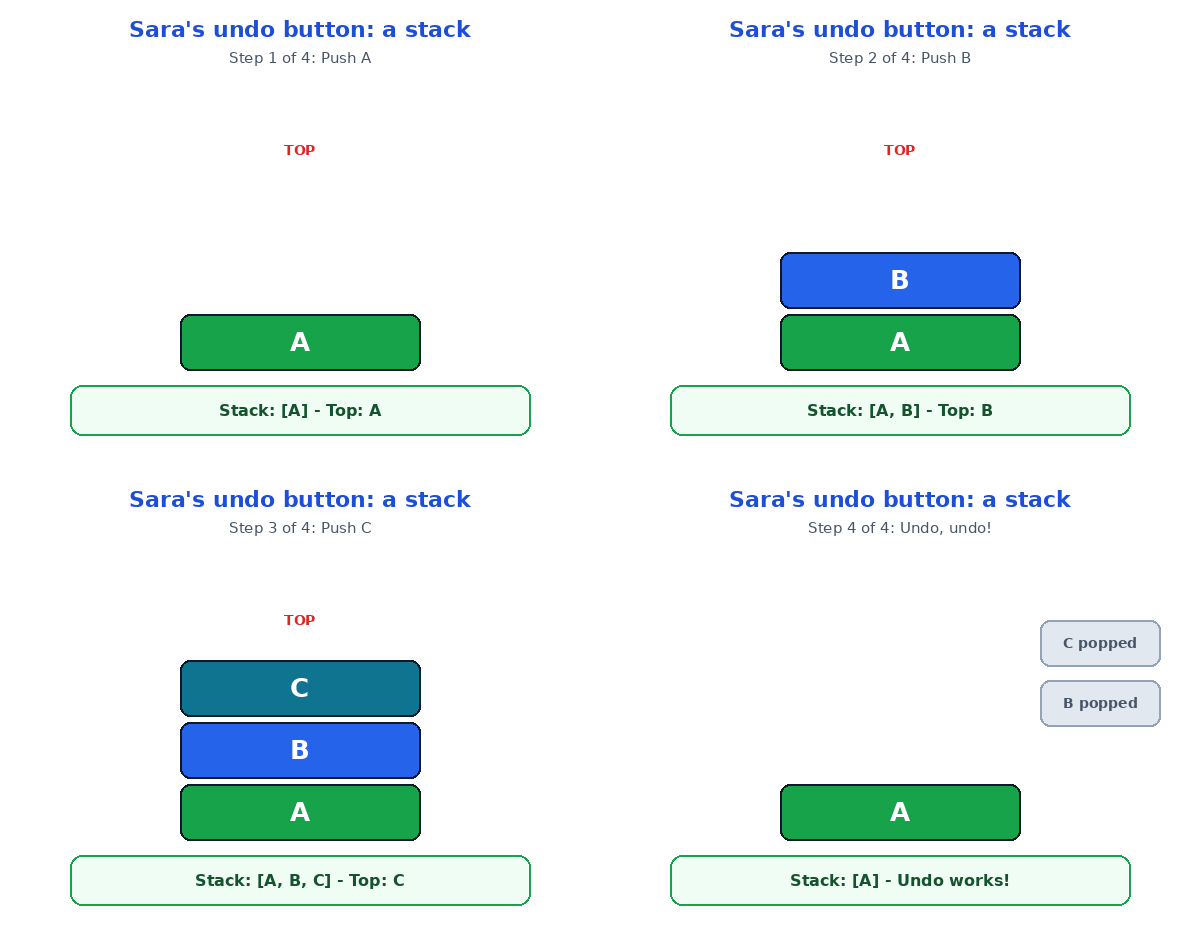
Meet Sara, who built a small notes app. Every time she types a letter, the app saves it — and the undo button must remove the last letter she typed, not the first. A list could do it, but the clean tool is a stack: you push letters on top, and you pop them off the top. Last in, first out — exactly like a pile of plates. Here is her code:
stack = []

stack.append("A")   # Sara types A
stack.append("B")   # Sara types B
stack.append("C")   # Sara types C

stack.pop()         # Undo: C disappears
stack.pop()         # Undo: B disappears

print(stack)        # Only A is left
Watch it work, step by step:
| Step | What Sara does | Stack (top on the right) | Top letter |
|---|---|---|---|
| 1 | Types "A" | [A] | A |
| 2 | Types "B" | [A, B] | B |
| 3 | Types "C" | [A, B, C] | C |
| 4 | Presses Undo | [A, B] | B |
| 5 | Presses Undo again | [A] | A |
Notice step 4 carefully. Undo never touches "A" — it only ever removes the top item, which is exactly what a user expects. That is the power of the stack: the rule is built into the structure, so you cannot make the mistake even by accident. In Python, a plain list already works as a stack — append() pushes, pop() pops — which is why Python lists and loops are the best place to practise this. And when you need to find something by name instead of by position, a Python dictionary is the shelf you want.
The Four Structures You Will Meet Everywhere
Almost every program you will ever write leans on these four. Learn them once, and you will recognise them in every language:
| Structure | How it works | Real-life example | Python tool |
|---|---|---|---|
| Array / List | Items in order, reached by position number | A row of lockers, numbered 0 to 99 | list |
| Stack | Last in, first out — only the top moves | A pile of plates; undo button | list with append/pop |
| Queue | First in, first out — like a real queue | People waiting at a ticket counter | collections.deque |
| Dictionary | Items found by a key, not a position | A phone book: name in, number out | dict |
I recommend starting with just these four. Honestly, most interview questions and most real projects never go beyond them — linked lists and trees matter later, but these four carry you surprisingly far. And if speed worries you, binary search shows how the right arrangement turns a slow scan into a lightning-fast find.
The Mistake Almost Everyone Makes
The classic beginner mistake is using one list for everything and never asking, "How will I look this up later?" A to-do app that searches a 10,000-item list for every click feels fine with ten items — and painfully slow with ten thousand. The fix costs nothing: before you write a line of code, ask two questions — do I need order, or do I need lookup by name? Order means list or queue; lookup by name means dictionary. That one habit separates beginners from people who write code that still feels fast a year later.
Test Your Understanding
Quiz: Sara's notes app needs an undo button that always removes the most recently typed letter. Which structure fits best?
- A queue, because it removes the oldest item first
- A dictionary, because letters need keys
- A stack, because it removes the last item first
- An unsorted list searched from the start
Answer: C. A stack is last-in-first-out, so the most recent letter sits on top and pops off first — exactly how undo should behave.
Conclusion
A data structure is just a shelf: pick the shelf that matches the job, and your code gets faster without getting longer. You saw a stack run an undo button in six lines, and you met the four structures that power nearly every app you use. Do one thing today: open Python, build Sara's stack, type three letters, and undo twice. The moment you watch "C" vanish first, the idea will click — and you will never dump everything into one list again.
📅 Want a study plan for this topic?
Get a free 7-day learning plan in your calendar — one small lesson every day.
Leave a Reply