

Introduction
You already know Python lists — a neat row of items you grab by position number. But what if you want to grab things by name instead of by number? Like looking up a student’s marks by typing their name, not by remembering they were “item number 3”?
That’s exactly what a Python dictionary does, and honestly, once it clicks, you’ll start seeing dictionaries everywhere — in settings files, in API responses, even in JSON data. Let’s understand it step by step, with an example.
📅 Want a study plan for this topic?
Get a free 7-day learning plan in your calendar — one small lesson every day.
What Is a Python Dictionary?
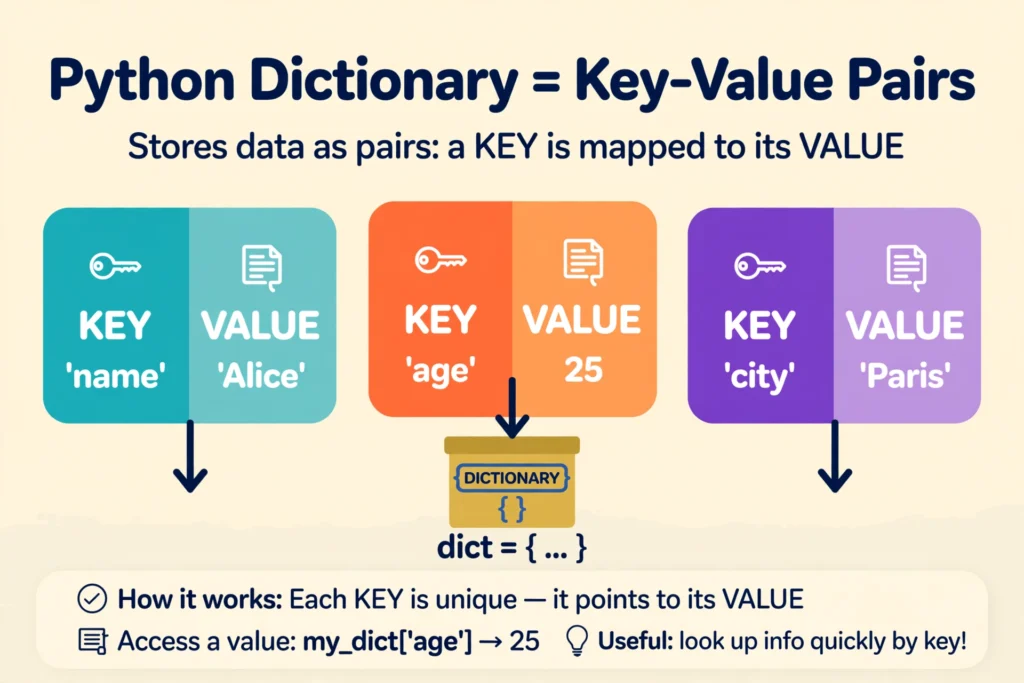
A dictionary (or dict) is a Python data structure that stores data as key–value pairs. Each key is a unique label, and each value is the data attached to that label. You write one with curly braces: {"ali": 85}.
The main idea
Think of a real dictionary: you look up a word (the key) and get its meaning (the value). A Python dictionary works the same way — you look up a label and get the data behind it. A list is like a numbered apartment building; a dictionary is like a street where every house has a nameplate.
In simple words
- Pick a key — a short, unique label like
"ali"or"email". - Attach a value to it — any data: a number, a string, even another list.
- Wrap your pairs in curly braces
{}, separated by commas. - Look anything up later with square brackets:
grades["ali"]gives you85.
If lists and loops are still fresh for you, my Python lists and loops guide pairs perfectly with this one — dictionaries are the natural next step.
Let's Solve an Example: A Student Gradebook
Let's build a tiny gradebook for three students. Watch how the dictionary grows at each step — this is the pattern you'll use in real programs:
# Step 1: Create an empty dictionary
grades = {}
# grades is now: {}

# Step 2: Add students (key = name, value = marks)
grades["ali"] = 85
grades["sara"] = 92
# grades is now: {"ali": 85, "sara": 92}

# Step 3: Update a value (same syntax as adding!)
grades["ali"] = 88
# grades is now: {"ali": 88, "sara": 92}

# Step 4: Look something up
print(grades["sara"])   # Output: 92

# Step 5: Loop through everything
for name, marks in grades.items():
    print(name, "scored", marks)
# Output:
# ali scored 88
# sara scored 92
Notice something neat in Step 3? Adding and updating use the exact same line of code. If the key exists, Python updates it; if not, it creates it. When I first tried this, I kept writing separate "add" and "update" logic like in other languages — Python just doesn't make you bother.
Here's the same build-up as a picture, plus a short animation:

Dictionary vs List: When to Use Which
Beginners often ask me which one to pick. Here's my rule of thumb:
| Question | Use a list | Use a dictionary |
|---|---|---|
| How do you find items? | By position: items[0] | By label: grades["ali"] |
| Can two items share an identifier? | Yes — duplicates allowed | No — keys must be unique |
| Best for... | Ordered collections, e.g. a to-do list | Lookups, e.g. usernames → passwords |
| Example | ["buy milk", "call ammi"] | {"username": "junaid", "city": "Layyah"} |
Honestly? If you catch yourself writing if name == "ali": ... elif name == "sara": ... chains, that's Python tapping you on the shoulder and whispering "use a dictionary."
3 Beginner Traps (and How to Dodge Them)
Most beginners get stuck in exactly three places with dictionaries — I know because I hit all three myself:
1. The KeyError ambush. Ask for a key that doesn't exist — grades["bilal"] — and Python crashes with a KeyError. The safe way: grades.get("bilal", "not found") returns "not found" instead of exploding. I recommend .get() as your default habit.
2. Forgetting keys must be unique. Write {"a": 1, "a": 2} and Python quietly keeps only the last one. No warning, no error — just silent overwriting. If your data looks "mysteriously wrong," check for duplicate keys first.
3. Using a list as a key. Keys must be unchangeable (strings, numbers, tuples — not lists). {["x"]: 1} throws a TypeError. This one confused me for a whole afternoon in my first month; now it's second nature.
Test Your Understanding
Question: What does this code print?
marks = {"ali": 85}
marks["sara"] = 92
print(marks["ali"])- 92
- 85
- KeyError
- {"ali": 85, "sara": 92}
Answer: B — marks["ali"] looks up the value stored under the key "ali", which is still 85.
📅 Want a study plan for this topic?
Get a free 7-day learning plan in your calendar — one small lesson every day.
Related Articles
- Python for Complete Beginners: Write Your First Program Today
- Python Lists and Loops Explained: Store Many Things, Repeat Less Work
- What Is an API? A Beginner's Guide to How Apps Talk to Each Other
Conclusion
Lists remember order; dictionaries remember meaning. With just curly braces, keys, and values, you can model real-world things — gradebooks, user profiles, settings — in a way that reads almost like English. Start with .get() for safe lookups, watch out for duplicate keys, and the next time an API hands you a blob of JSON, you'll realize you've been reading dictionaries all along. If you haven't yet, go back and try the gradebook example yourself — typing it beats reading it, every single time.
Leave a Reply