

When I first started learning Python, I kept all my practice data inside the program — names and marks typed straight into lists, rewritten every time I ran the code. Then one day my program crashed, and everything was gone. A friend laughed and said, “Put it in a file.” That one sentence changed how I write programs. Python file handling lets your code read from files and write to them, so your data survives long after the program stops running. It is simpler than it sounds — and honestly, it turns toy programs into real tools.
📅 Want a study plan for this topic?
Get a free 7-day learning plan in your calendar — one small lesson every day.
What Is File Handling in Python?
File handling means opening a file, reading from it or writing to it, and then closing it — all from your Python code. A file is just text saved on your computer: a list of names, a diary entry, a thousand lines of numbers. Instead of typing that data into your program by hand, you store it once in a file, and Python picks it up whenever it needs it. Your program can also save its results back to a file, so nothing is lost when the program ends.
The Main Idea
Most beginners get stuck right here: they think files are something advanced, for "real" programmers. But here is the honest truth — a file is just a box: open it, take things out or put things in, close it. When I first tried this, I used it for the silliest thing: a text file holding my friends' cricket scores, so I could finally stop retyping them before every match. The pattern never changes, and once it clicks, you will wonder why it ever looked scary.
In Simple Words
Here is the whole idea, in four steps:
- Open the file and tell Python what you want to do — read it or write to it.
- Read or write — pull the lines out one by one, or save new text into it.
- Process the data with normal Python — loops, conditions, maths, whatever you need.
- Close the file so nothing is lost and nothing is left locked.
Let's Solve an Example: Find the Top Scorer
Meet Sara, a class teacher in Layyah. She keeps her students' marks in a file called students.txt, one student per line. Today she wants Python to find the top scorer — without reading every line herself. Here is her file:
Ahmed,76
Fatima,91
Usman,64
Ayesha,88
Here is the program that reads it:
top_name = ""
top_marks = 0

file = open("students.txt")
for line in file:
    name, marks = line.strip().split(",")
    marks = int(marks)
    if marks > top_marks:
        top_marks = marks
        top_name = name
file.close()

print("Top scorer:", top_name, top_marks)
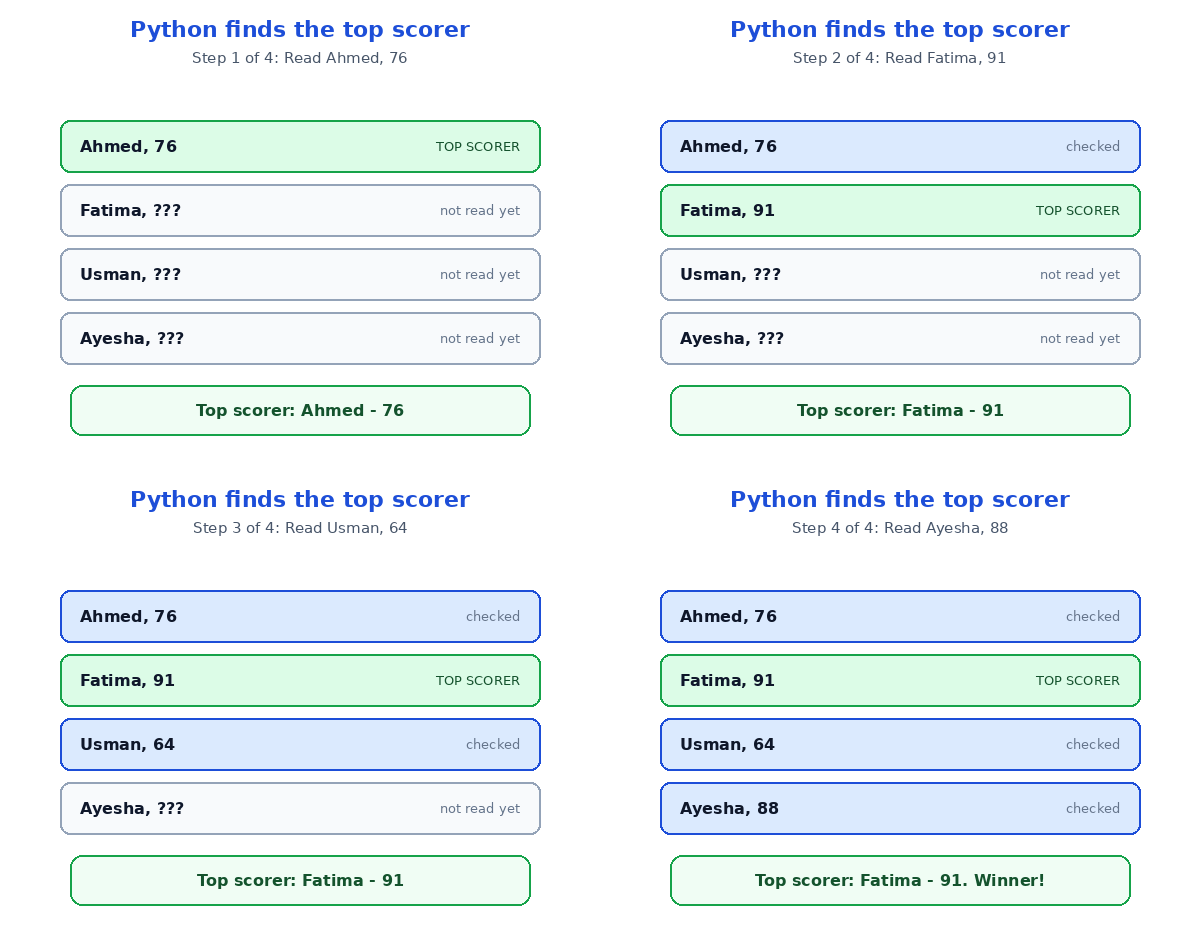
Watch it work, line by line:
| Step | Line read from the file | Top scorer so far |
|---|---|---|
| 1 | Ahmed, 76 | Ahmed — 76 |
| 2 | Fatima, 91 | Fatima — 91 (new leader!) |
| 3 | Usman, 64 | Fatima — 91 (no change) |
| 4 | Ayesha, 88 | Fatima — 91 (still the leader) |
Notice step 2 carefully. The program never holds the whole file in its head — it reads one line, decides, and forgets it. That is why this works on four lines or four million: the memory used stays tiny. The split(",") trick is the real hero; it cuts each line at the comma, so name and marks fall apart neatly. And strip() removes the invisible newline at the end of each line — skip it, and your numbers break. If text itself still feels shaky, read how Python strings work first; files are mostly strings with a home. And Python functions will show you how to wrap this whole job into one tidy, reusable block.
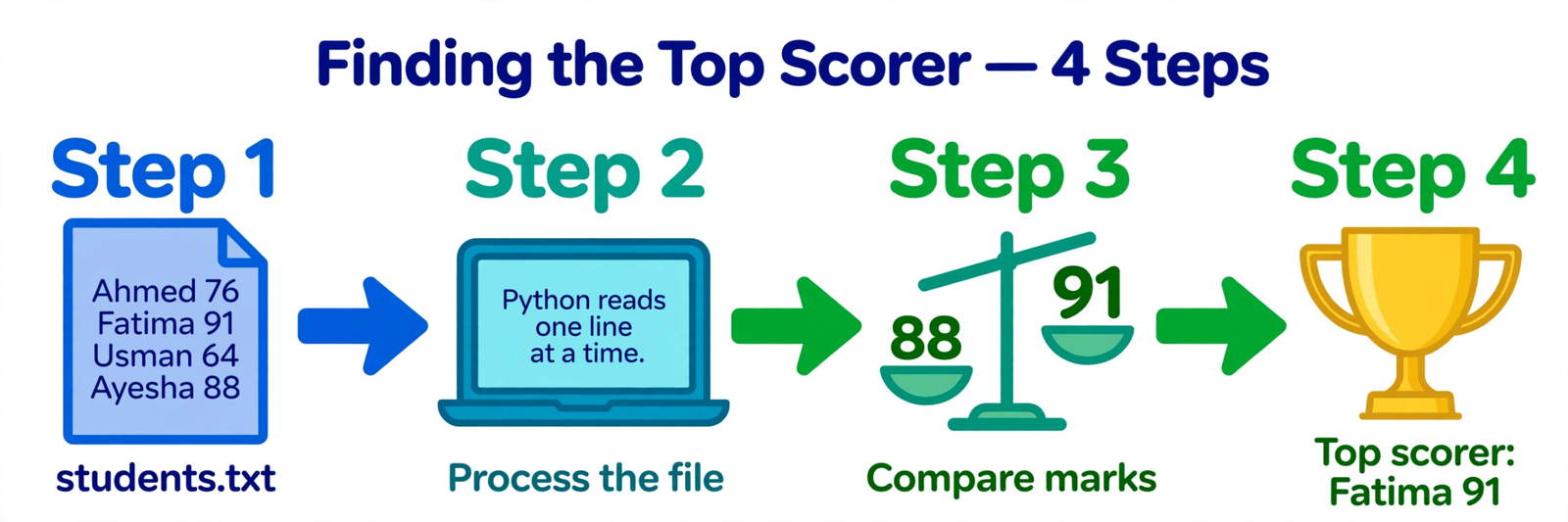
One practical tip: save the answer back to a file instead of just printing it. Two lines do the job:
with open("topper.txt", "w") as result:
    result.write("Top scorer: Fatima, 91 marks")
The with keyword is the safer way to open files: it closes the file for you automatically, even if something goes wrong. I recommend starting with with from day one.
The Four File Modes You Actually Need
When you open a file, you must say what you plan to do with it. Python calls this the mode, and there are four you will use most:
| Mode | What it does | When to use it |
|---|---|---|
| "r" — read | Opens the file to read it; errors if it does not exist | Reading data, like Sara's marks file |
| "w" — write | Creates a new file, or wipes an old one clean | Saving fresh results, like topper.txt |
| "a" — append | Adds new text to the end, keeps what is already there | A diary, a log, a growing list |
| "r+" — read + write | Lets you read and write in the same file | Editing a file in place — use with care |
In my opinion, the one to respect most is "w". It looks harmless, but opening an existing file in write mode erases everything inside it instantly — no warning, no recycle bin. I once wiped a whole week's notes this way. If you only want to add to a file, use "a"; your old data stays exactly where it was.
The Mistake Almost Everyone Makes
The classic beginner mistake is opening a file and forgetting to close it. On a small program you might never notice — but on a bigger one, the file stays locked, your saved data may not reach the disk, and the next program that tries to open it gets an error. The fix is simple: use with open(...) as file: and Python closes the file the moment the block ends, even if your code crashes. Think of it like a library book that returns itself. Pair this habit with Python dictionaries — read a file into a dictionary, and suddenly you have a tiny database you built yourself in ten lines.
Test Your Understanding
Quiz: Sara opens students.txt in "w" mode by accident, then writes one line into it. What happens to the four students' marks?
- Nothing — "w" mode only adds new lines
- The old marks are erased, and only the new line remains
- The file is locked and nothing is written
- Python asks for permission before erasing anything
Answer: B. Opening a file in "w" mode wipes its old contents immediately. Use "a" to add without erasing, and "w" only when you mean to start fresh.
Conclusion
Python file handling is just four moves — open, read or write, process, close — and it turns your programs from forgetful toys into tools that remember. You saw it find a top scorer one line at a time and save the answer to a new file, all with a few lines of code. Do one thing today: make a file with five friends' names and marks, write the program from this article, and run it. The moment your computer prints the top scorer's name, you will see why files are one of the most useful things Python can do.
📅 Want a study plan for this topic?
Get a free 7-day learning plan in your calendar — one small lesson every day.
Leave a Reply