

Every program you have ever used makes decisions. Your phone unlocks if the face matches, else it stays locked. Your game gives you a bonus if you score 100 points, else it just says “try again”. The tiny piece of code behind all of that is the if-else statement, and it is the first real superpower a new programmer learns. Let’s understand Python if-else step by step, with an example you can run yourself.
📅 Want a study plan for this topic?
Get a free 7-day learning plan in your calendar — one small lesson every day.
What Is If-Else in Python?
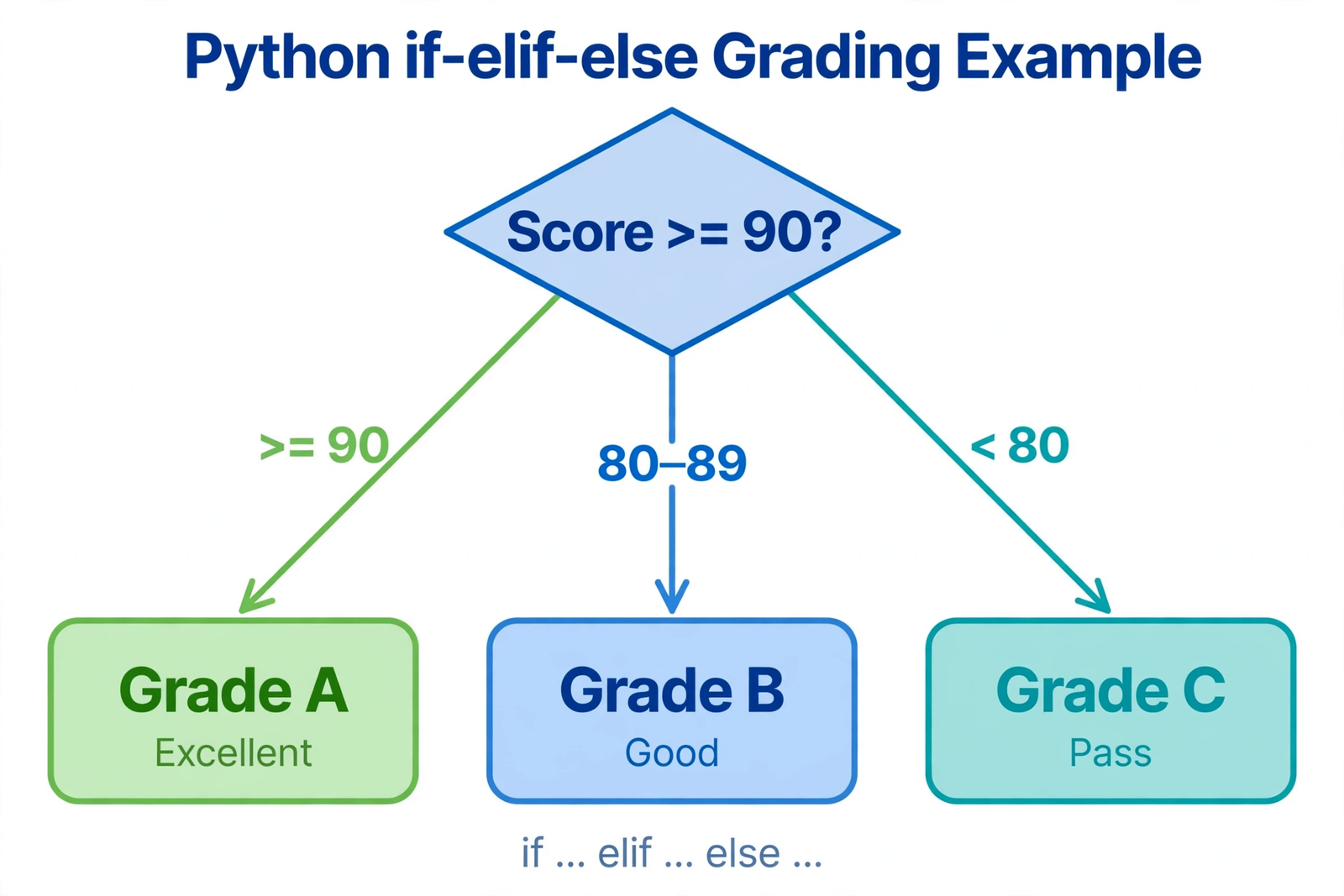
An if-else statement lets your program choose between two (or more) paths based on a condition — a simple true-or-false question like "is the score above 90?" If the condition is true, Python runs the first block of code; if it is false, Python skips it and runs the else block instead. Add elif (short for "else if") in the middle, and you can chain as many choices as you like — A grade, B grade, C grade, or "try again".
The Main Idea
Think of if-else as a fork in a road. Your program walks up to the fork, checks the signpost (the condition), and takes the path the signpost points to. There is no guessing and no coin-flipping — the same input always takes the same path, which is exactly why programs feel reliable. In my opinion, this is the moment programming stops feeling like typing and starts feeling like thinking: your code is finally making choices.
In Simple Words
Here is how a decision works in Python, in three steps:
- Ask a question. Write a condition, like
marks >= 80. - Pick a path. If the answer is true, run the
ifblock; if not, check the nextelif. - Fall back. If nothing matched, run the final
elseblock — the safety net.
When I first tried this, I kept forgetting the colon at the end of each line and the indentation under it — and Python complained every single time. Most beginners get stuck right here: in Python, the spaces at the start of a line are not decoration, they are the whole structure. One wrong indent, and the program genuinely does not know which block your code belongs to. Get the indentation right, and everything else is easy.
Let's Grade a Student: Marks 85
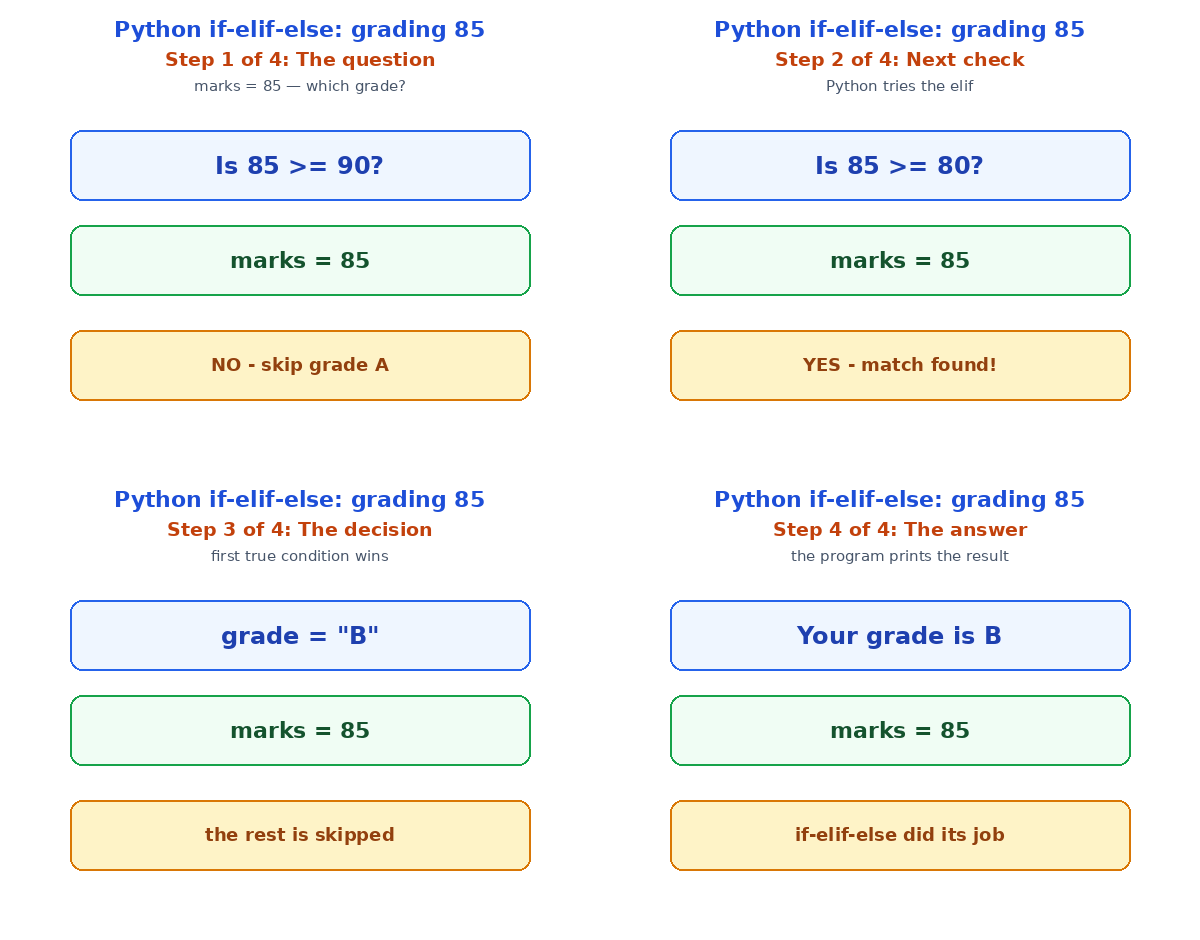
Here is a real example. A student scored 85 marks, and our program has to turn that number into a grade. Watch how if-elif-else walks down the checks one by one until it finds the match:
marks = 85
if marks >= 90:
    grade = "A"
elif marks >= 80:
    grade = "B"
elif marks >= 70:
    grade = "C"
else:
    grade = "F"
print("Your grade is", grade)| Step | Condition checked | True or false? | What happens |
|---|---|---|---|
| 1 | marks >= 90 (85 >= 90) | False | Skip the "A" block |
| 2 | marks >= 80 (85 >= 80) | True | grade becomes "B" — stop here |
| 3 | — | — | Python never even checks the rest |
| Result | — | — | Your grade is B |
Notice the clever bit: Python stops at the first true condition and ignores everything after it. That ordering matters — if you wrote the >= 70 check first, an 85 would wrongly land on "C". In my experience, the most common beginner bug is exactly this: checks in the wrong order. Always go from the strictest condition down to the loosest, and your chain will behave.
Everyday Decisions You Already Write
Once you see the pattern, you will spot if-else everywhere. A login page checks if the password matches. A shopping app applies a discount if your cart is over a certain amount. Even a simple game uses it — if the player has 3 lives left, keep playing, else show "game over". Here are three one-line decisions you can try right now:
age = 17
if age >= 18:
    print("You can vote!")
else:
    print("Not yet — come back soon.")

temperature = 32
if temperature > 30:
    print("It's hot — drink some water!")
If you have worked through Python for complete beginners, this is the natural next step: variables and printing you already know, and if-else is what turns those basics into a program that reacts. Pair it with lists and loops, and you can suddenly check every item in a list and decide what to do with each one — that is a real program.
Three Mistakes Beginners Make
Honestly, almost every if-else bug I have seen comes from one of three slips:
| Mistake | What goes wrong | The fix |
|---|---|---|
Using = instead of == | = assigns a value; == compares | Compare with ==, assign with = |
Forgetting the colon : | Python throws a syntax error | Every if, elif and else ends with : |
| Wrong indent | Code runs under the wrong block | Use 4 spaces, consistently, every time |
The first one is the sneakiest. Writing if marks = 90: is not a comparison at all — it is trying to set marks to 90 inside a question, and Python will stop you with an error. If you want the full picture of how functions use these same decisions, my Python functions guide shows them in action inside reusable code.
Test Your Understanding
Quiz: What does this code print?
score = 72
if score >= 90:
    print("A")
elif score >= 70:
    print("B")
else:
print("C")- A
- B
- C
- Nothing — it crashes
Answer: B. 72 is not >= 90, so the first check fails; it is >= 70, so the elif matches and prints "B". Python stops there and never reaches the else.
Conclusion
If-else is small — a few lines, a few colons — but it changes everything. It is the difference between a program that just prints things and a program that responds, decides, and feels alive. Write the grading program yourself, change 85 to 92 and then to 65, and watch the grade change. That little experiment is worth more than reading about it ten times — because now you are not just learning Python, you are making decisions with it.
📅 Want a study plan for this topic?
Get a free 7-day learning plan in your calendar — one small lesson every day.
[…] one second and saves five minutes of confused staring. The same careful counting also helps in if-else decisions and Python […]
[…] expect, and let the surprises show themselves. Once you can catch errors, combine the trick with if-else decisions and Python functions to build programs that handle real, messy human input without ever falling […]