

Let me guess: you have a list in Python, and the same name keeps showing up twice. Or three times. You need each item only once, and now you are writing a loop to check “is this already in my list?” for the hundredth time. Stop. Python already has a tool built exactly for this, and most beginners walk straight past it. Let’s understand Python sets step by step, with an example.
📅 Want a study plan for this topic?
Get a free 7-day learning plan in your calendar — one small lesson every day.
What Is a Python Set?
A set is a collection that stores each value only once — no duplicates, ever — and does not care about order. You make one with curly braces, just like a dictionary without the colons: fruits = {"apple", "banana", "apple"} gives you a set with only two items, because Python quietly drops the second "apple".
The Main Idea
Think of a set as a bag that refuses to hold two copies of the same thing. Drop "apple" in twice and the bag just shrugs — there is still only one apple inside. That single rule makes sets perfect for one job: keeping a collection of unique values, fast.
In Simple Words
Here is what a set does for you, in three steps:
- Store unique items. Add anything — duplicates are thrown away automatically.
- Check membership in a flash.
"apple" in fruitsis instant, even with a million items. - Compare groups. Find what two sets share, or what one has that the other does not.
When I first tried cleaning a messy list of 500 student names by hand, I spent an embarrassing amount of time on it. Then someone showed me set(), and the same job took one line. I still remember that feeling — half amazed, half annoyed I had not learned it sooner.
Let's Remove Duplicates With a Set
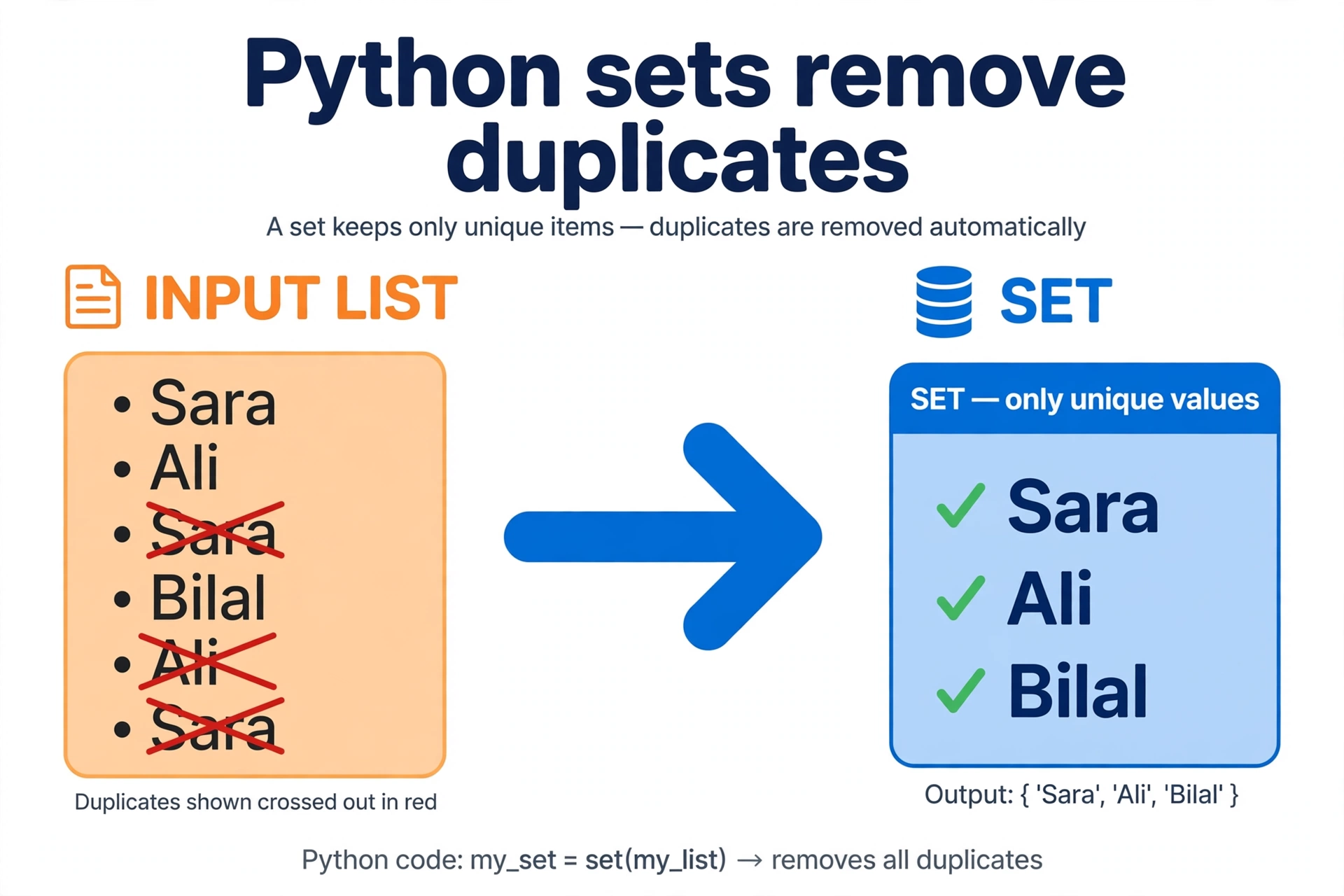
Here is a real example. A teacher collects the names of students who submitted homework, but some students submitted twice:
submitted = ["Sara", "Ali", "Sara", "Bilal", "Ali", "Sara"]
unique = set(submitted)
print(unique)        # {'Sara', 'Ali', 'Bilal'}
print(len(unique))   # 3 — out of 6 entries
Watch what happened, step by step:
| Step | Item added | Set after this step |
|---|---|---|
| 1 | "Sara" | {"Sara"} |
| 2 | "Ali" | {"Sara", "Ali"} |
| 3 | "Sara" again | {"Sara", "Ali"} — duplicate ignored |
| 4 | "Bilal" | {"Sara", "Ali", "Bilal"} |
| 5 | "Ali" again | {"Sara", "Ali", "Bilal"} — ignored again |
| 6 | "Sara" again | {"Sara", "Ali", "Bilal"} — final: 3 unique names |
Three duplicates vanished without a single if statement. That is the whole magic of sets — the data structure does the boring work for you.

Sets vs Lists vs Dictionaries
Honestly, beginners mix these three up all the time, so here is the honest comparison. In my opinion, the rule of thumb is simple: need order? Use a list. Need labels for each value? Use a dictionary. Need uniqueness and fast checks? Use a set.
| List | Set | Dictionary | |
|---|---|---|---|
| Duplicates | Allowed | Never | Keys unique, values can repeat |
| Order | Kept | Not guaranteed | Kept (insertion order) |
| Fast check | Slow for big lists | Very fast | Very fast (by key) |
| Written as | [1, 2, 2] |
{1, 2} |
{"a": 1} |
If you have not met dictionaries yet, start with my Python dictionaries guide — sets and dictionaries are cousins, and the two articles fit together nicely. And if you want the basics first, the Python functions guide shows how to wrap this kind of logic into reusable code.
Three Set Tricks Worth Knowing
Once the basics click, three operations do most of the real work: add() puts one item in, remove() takes one out, and the math-style operations — union (|), intersection (&), and difference (-) — compare whole groups in a single line. Two clubs, one line of code, and you instantly know who is in both, who is only in yours, and who is in either. That is the kind of one-liner that makes Python feel like a superpower.
Test Your Understanding
Quiz: What does print(len({"a", "b", "a", "c", "b"})) show?
- 5 — every item counts
- 3 — duplicates are removed, so only a, b, c remain
- 2 — only the first two items are kept
- An error, because sets reject duplicates loudly
Answer: B. A set keeps only unique values, so {"a", "b", "c"} has 3 items — quietly, with no error.
Conclusion
Sets are small, quiet, and easy to overlook — and that is exactly why so many beginners miss them. Next time you catch yourself writing a loop just to remove duplicates or check whether something is already in a list, reach for a set instead. One line, no duplicates, instant checks. Your future self will thank you.
📅 Want a study plan for this topic?
Get a free 7-day learning plan in your calendar — one small lesson every day.
Leave a Reply